



Dashboard
Your dashboard is your main landing page once you are signed in to DAWSON.
Viewing Your Dashboard
-
Before you file a Petition with the Court, your dashboard will provide information and links to help you with the Petition filing process:
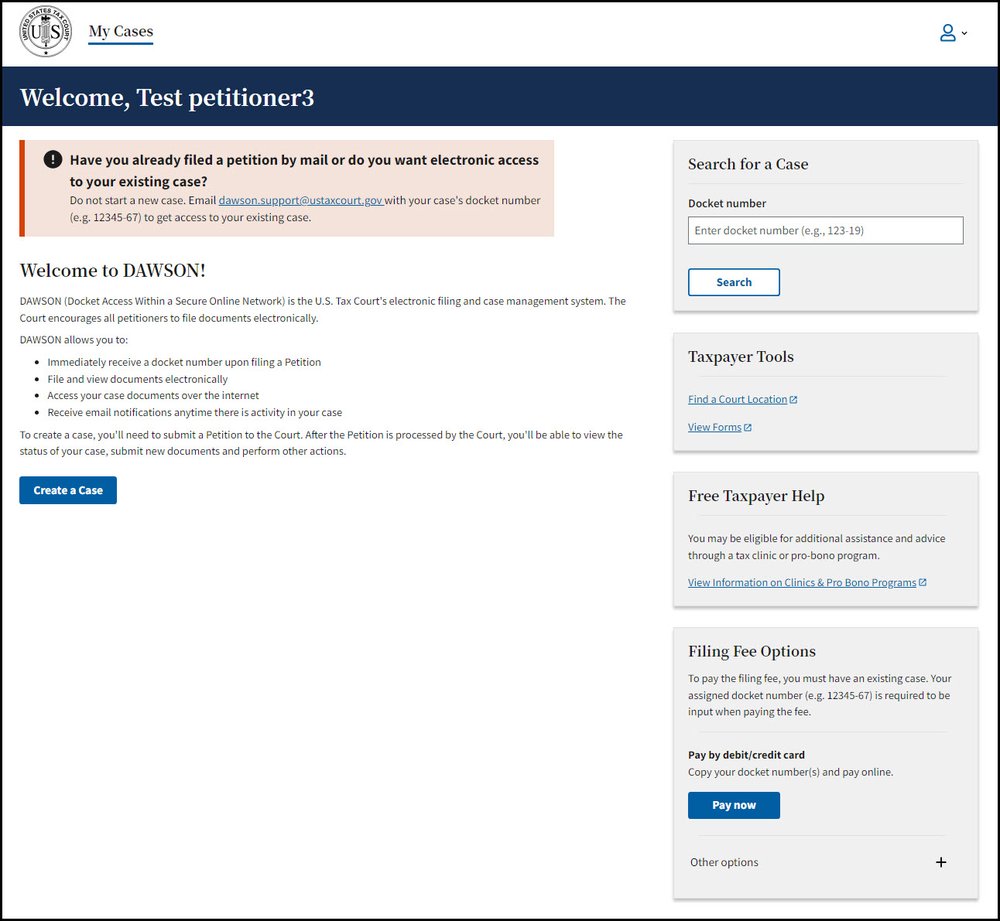
- Helpful Links
-
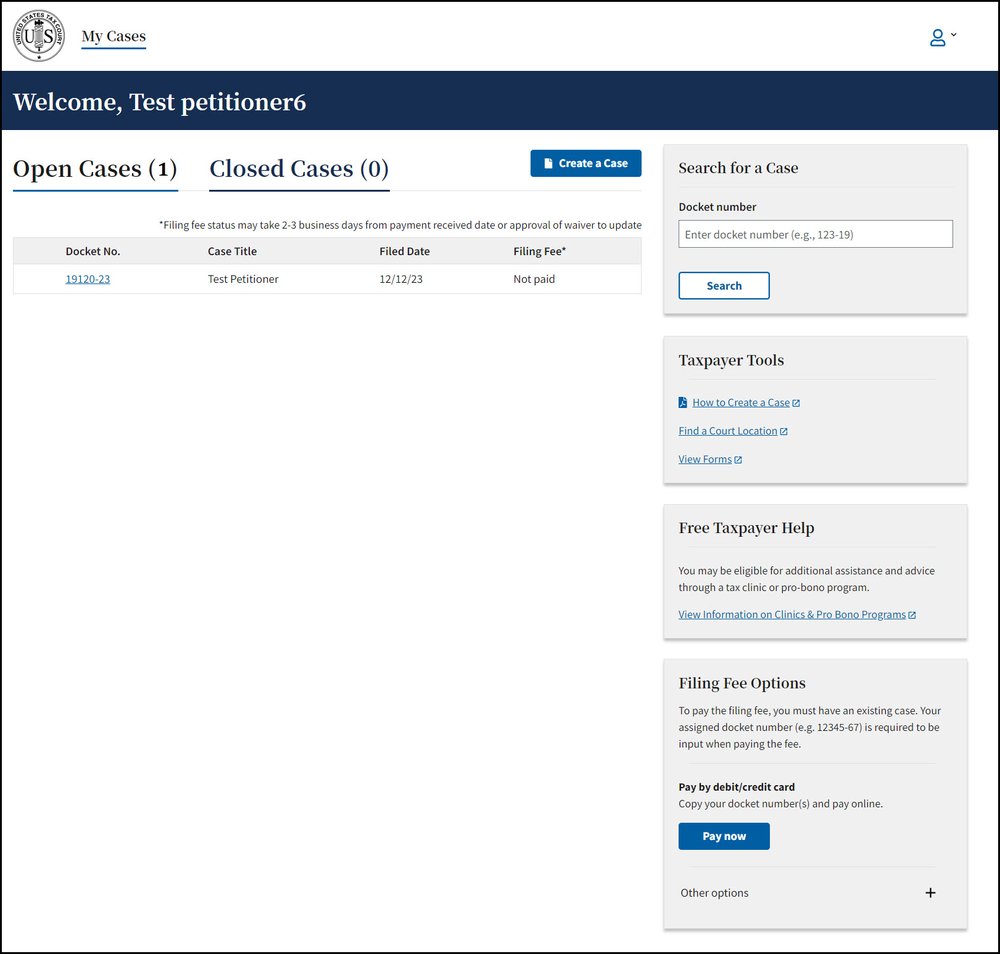
Once you have filed a Petition, you can view all of your cases (open and closed) on your dashboard:
Tips & Tricks
- To return to your dashboard from anywhere within DAWSON, click My Cases.
- Open cases and closed cases are displayed on separate tabs. The number of cases for each is displayed in parentheses.
- The default display is 20 cases. To view more, click the Load More button.
- It is typical for a self-represented (pro se) petitioner to have just one case.